
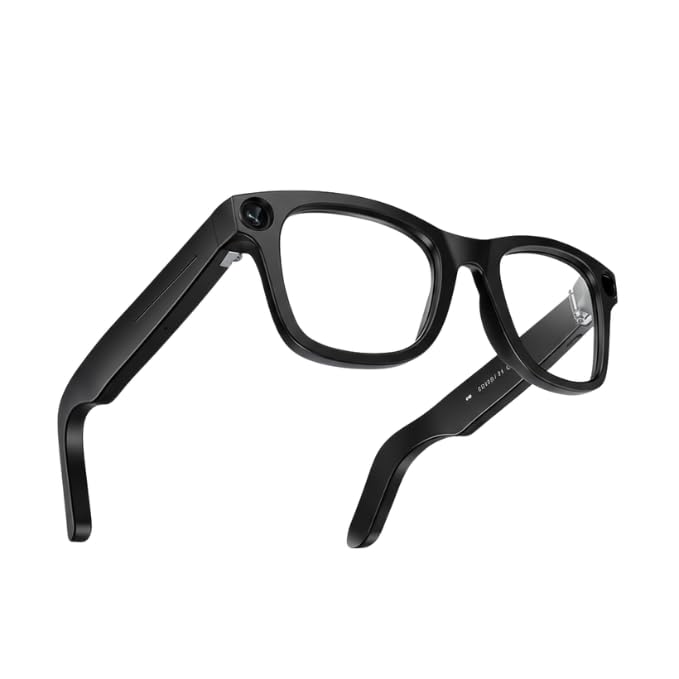
A daily commute often involves calls, messages, music, directions, and unexpected moments worth saving. AI-powered smart glasses bring several of these tasks into one familiar frame. They connect to a compatible smartphone, allowing commuters to hear audio, communicate, use voice controls, and capture photos or videos without constantly holding a phone.
Why Smart Glasses Suit Busy Commutes
Commuters often switch between walking, waiting, riding, and checking travel information. Taking out a phone for every small task can feel inconvenient, especially while carrying a bag or moving through a crowded station.
Smart glasses reduce some of that friction. Open-ear speakers deliver sound while leaving the ears uncovered. Built-in microphones support calls and voice commands. A camera allows quick, first-person capture when the user chooses to record.
They do not replace a smartphone. The phone, companion app, Bluetooth connection, and internet access still support many features. However, the glasses can make common tasks easier to reach.
Taking Calls Without Holding a Phone
Hands-Free Conversations
AI-powered smart glasses can work as a wearable audio device for calls. A commuter may answer using touch controls or a supported voice command. The speakers play the caller’s voice, while built-in microphones carry the wearer’s response.
This can help when standing on a platform, walking between buildings, or holding shopping bags. Call quality still depends on the environment. Heavy traffic, wind, and loud station announcements may affect clarity. Important calls are better handled in a quieter area.
Messages and Short Replies
Supported communication services may announce incoming calls or messages after the correct permissions are enabled. Users may also send voice messages through supported apps.
These functions suit short updates, such as saying that the train is delayed. Sensitive or detailed conversations should wait until the commuter reaches a private place.
Listening to Audio While Staying Aware
Music, Podcasts, and Audiobooks
Open-ear speakers allow commuters to listen without placing earbuds inside their ears. This may feel more natural for people who want to hear nearby movement and announcements.
Depending on the connected service and region, users may control audio through the touchpad or voice. Common actions include playing, pausing, skipping, and changing the volume.
Open-ear audio does not guarantee full awareness. Volume should stay moderate near roads, cycle paths, crossings, and busy platforms.
Consider Privacy and Courtesy
The speakers direct sound towards the wearer, but nearby people may hear audio at high volumes. Lowering the volume in quiet trains, lifts, and waiting areas helps protect privacy and avoids disturbing others.
Using Audio for Navigation
Standard smart glasses without a display do not place a map or visual arrows in front of the eyes. Route planning and live location tracking still happen through the connected phone and its navigation app.
However, commuters can use the glasses as an audio output for spoken directions from the phone. This may reduce how often they look down at a screen while walking. The phone should remain accessible for checking the full route, platform information, service changes, or diversions.
Navigation performance may vary according to the phone, operating system, app, permissions, and local availability. Set the destination before moving and stop somewhere safe before changing the route.
Capturing Moments Quickly
Photos and Short Videos
A built-in camera can capture the wearer’s point of view using a physical button or voice control. This is useful for recording a scenic walk, an interesting street display, or a quick visual note.
Quick capture can also support practical reminders. A commuter might photograph a bicycle parking area, locker number, or shopfront to remember later.
A capture light indicates when photos or videos are being recorded. Users should also respect privacy, local rules, workplace policies, and restrictions in private spaces. Permission matters when another person is the main subject.
Reviewing and Sharing
Captured media can be imported and managed through the companion app. Users can review each photo or video before saving or sharing it. Checking first helps prevent accidental uploads and gives users time to remove private details.
Choosing Glasses for Daily Travel
Comfort, fit, lens type, battery needs, and prescription support all matter. Spectacle Hut lists Ray-Ban Meta Gen 2 styles, including models designed for prescription wearers, allowing commuters to compare options that match everyday vision needs.
Before choosing Ray-Ban Meta smart glasses, consider:
- Whether the frame stays comfortable during long journeys
- Whether the lenses suit indoor and outdoor travel
- How often calls, audio, AI, and capture tools will be used
- Whether the battery can cover the usual commute
- Which phones, apps, and services are compatible
A Useful Tool, Not a Reason to Tune Out
Smart glasses can make commuting more convenient by keeping calls, audio, voice assistance, and quick capture close at hand. Their strongest benefit is reducing repeated phone handling, not removing the need for attention.
Used responsibly, AI-powered smart glasses can support a smoother journey while helping commuters stay aware of people, traffic, signs, and changing travel conditions.